Logo Intro Maker
Gaming logo intro.
Glitch, neon and fire looks for streamers, gaming channels and indie game studios, built from your own logo in real 3D and exported at up to 60 fps.
No account, no upload: your logo stays in your browser.
Looks that fit


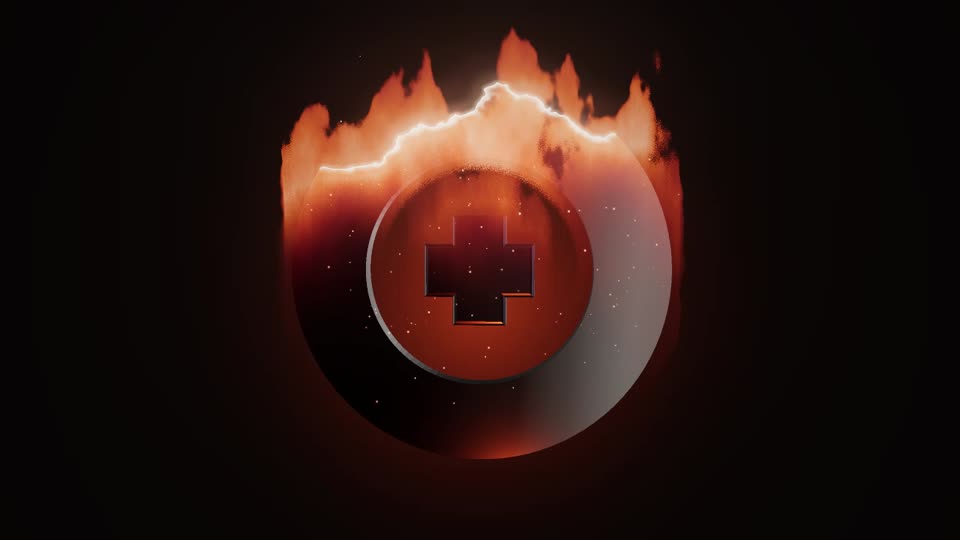
Looks made for gaming channels
- Glitch Logo Intro: torn frames and RGB split, then two short glitches after the logo lands.
- Neon Glow Intro: coloured tubes flicker on one by one over a dark sign body.
- Fire Logo Reveal: burns in from the bottom and cools into metal.
Match any of them to your channel colours with Primary colour and Background.
On Twitch and in your VODs
Use the 16:9 intro as a starting clip or between scenes: if your streaming software can play a video file as a media source, the MP4 works there. For highlights and VODs uploaded to YouTube, put the same clip in front of the video.
On Pro, the transparent PNG-frame ZIP lets you place the logo over gameplay in your video editor. Glow is not included in transparent exports, which matters most for neon.
A studio sting for your game trailer
Put a short studio logo sting in front of your Steam trailer or devlog: export 16:9 at 1080p and 60 fps as an MP4 and drop it at the start of your edit. The game's title logo works as a title reveal too, in 16:9 for the trailer or 9:16 for TikTok and Shorts. Multi-colour logos keep their own palette with Keep original colours, which turns on by itself when your upload has several colours.
Settings for fast content
- Frame rate: export at 60 fps to match 60 fps gameplay footage.
- Length: 4 seconds keeps the intro out of the way of the action.
- Reveal speed: push it up for a snappier entrance.
- Distortion, Glow or Heat: each gaming look has its own intensity slider; turn it up for a wilder result.
- 9:16 for TikTok clips and Shorts of your best plays.
Questions
Can I use it on a monetised Twitch or YouTube channel?
Yes. Personal covers your own projects, including monetised channels.
Can I make intros for other streamers?
Yes, with Pro. It includes a client-work licence for intros you deliver to others. You need the right to use their logo.
Can I use it in my game's trailer or start-up screen?
Yes. Personal covers trailers, ads, devlogs and the start-up or splash screen inside your own game, sound included. Making intros for other studios' trailers or games is client work, which Pro covers.
Does it export at 60 fps?
Yes. You can export at 24, 30 or 60 fps. Higher frame rates take longer to render because every frame is drawn on your own device.
Pay once. Nothing to cancel.
One payment, yours for good. Full refund within 14 days.
$0no account needed
- Unlimited live previews
- 720p MP4 export
- Small corner watermark ("made with lunebit.com")
- Try the transparent background at 720p (watermarked)
- No account, no card
$19one-time
- No watermark
- MP4 up to 1080p
- Unlimited exports
- All 8 looks, with fixes and improvements
- Use in your own projects: monetised channels, your own games and apps
- Pay once, no subscription
$49one-time
- Everything in Personal
- 4K export
- Transparent background up to 4K (PNG-frame ZIP)
- Batch export: several ratios and sizes in one ZIP
- All future look packs
- Client-work licence
Have Personal? Upgrade any time for $30, the difference.
Ready when your logo is.
Preview free in your browser. Pay once for the full-quality file.